Manage Your Devices from Any Browser
A browser-based remote console and jump host — plus log search, AI analysis, and alerting — all from a single dashboard.
Try the live demo
Enter your email and we'll send you the demo URL plus login.
Prefer to see the hardware first? Explore ConX-SFP →
How the Connection Works
1
SFP Connects Outbound
ConX-SFP establishes an outbound TLS 1.3 WebSocket to the portal. Looks like HTTPS — works through any firewall, NAT, or CGNAT. No inbound rules needed.
2
Portal Manages Everything
Devices auto-register and appear on your dashboard. Assign them to groups, set permissions, configure alerts.
3
You Connect from Any Browser
Open a console or jump-host session (SSH, Telnet, RDP, web), search logs, and set up alerts — from anywhere. No VPN, no client software.
Full terminal access to any serial port from your browser.
Two-port access
Connect to Port 1, Port 2, or the device CLI independently.
Real-time terminal
xterm.js-powered terminal with full keyboard support and session status.
Session recording
Every keystroke logged for compliance and troubleshooting.
Multi-user sessions
Multiple engineers can monitor the same port simultaneously.
Reach any host at the site through ConX-SFP's outbound tunnel — even devices with no serial console at all.
Multi-protocol destinations
Connect to remote hosts over SSH, Telnet, RDP, HTTP, or HTTPS — directly from your browser.
Any-port pass-through
A lightweight agent extends jump-host reach to any TCP port on any remote host.
No VPN, no inbound rules
All access rides ConX-SFP's outbound-only TLS tunnel — nothing to open at the firewall.
Recorded & access-controlled
Every jump-host session is access-controlled with role-based permissions and a full audit trail.
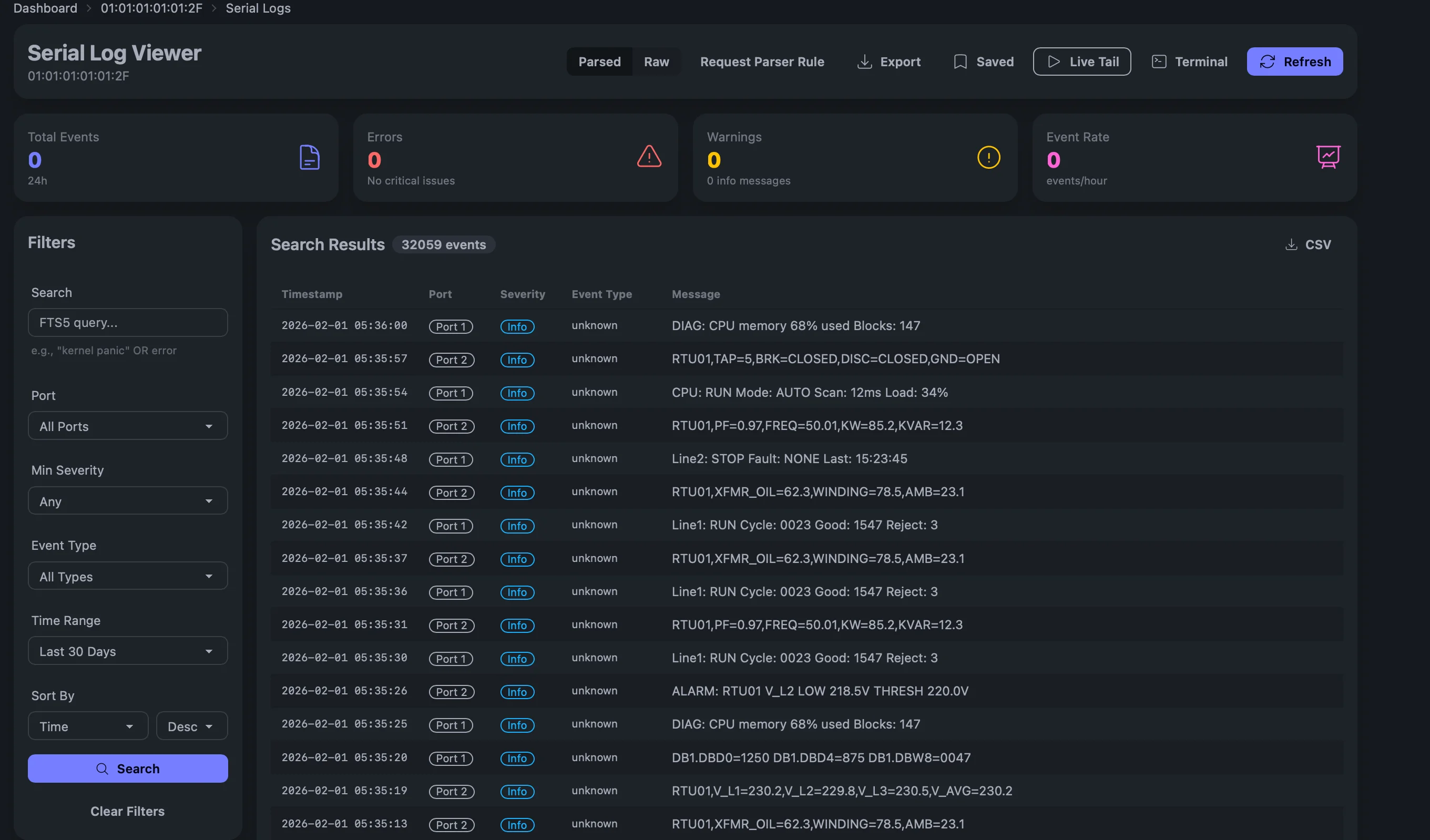
Every console message captured, timestamped, and searchable.
Full-text search
Search across all devices, ports, and time ranges.
Live tail
Stream console output in real-time with WebSocket updates.
Saved queries
Save and share frequently used search filters.
Export
Export logs as CSV or raw text for offline analysis.
Parsed and raw views
Toggle between AI-parsed events and raw console output.
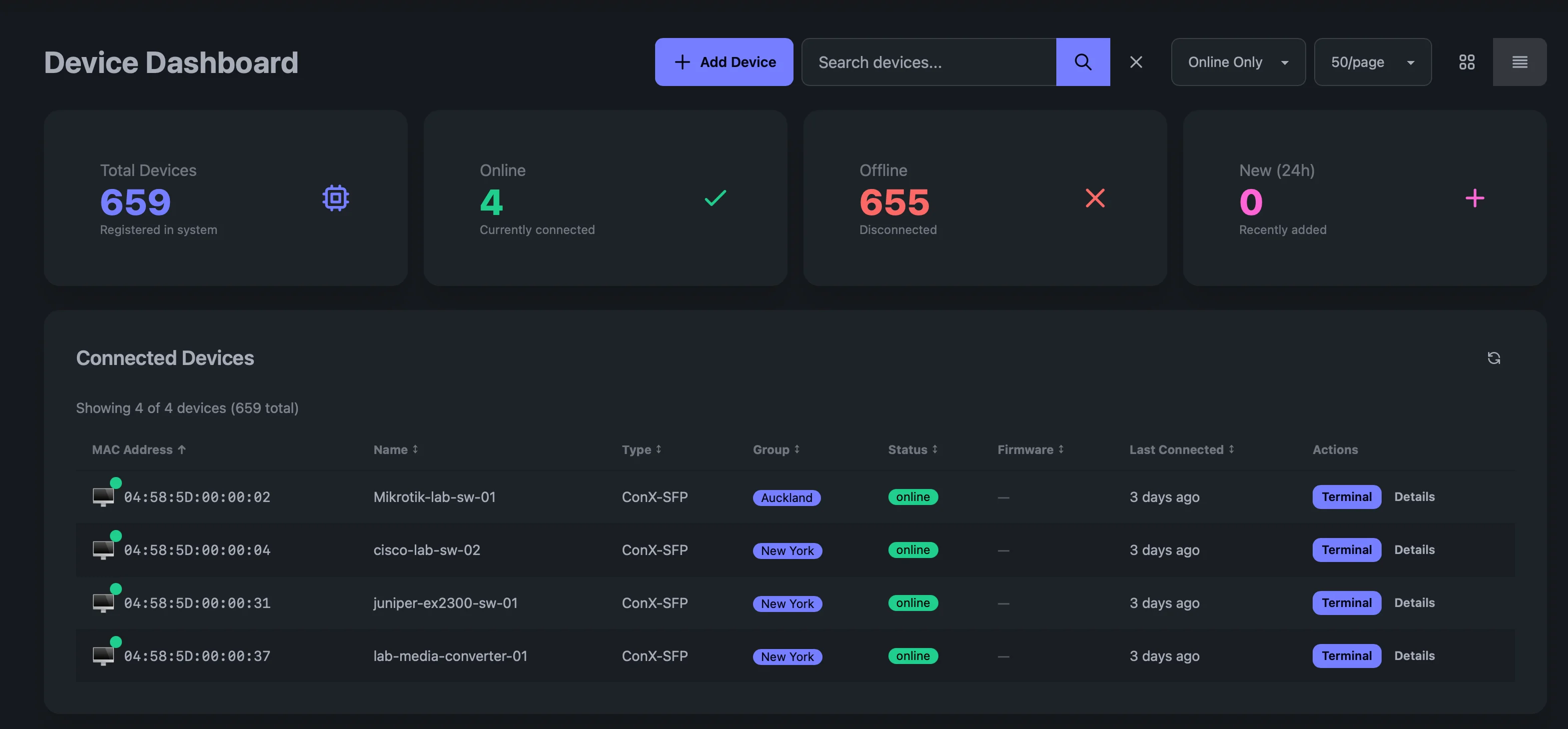
Organize devices into groups, control access, manage at scale.
Device dashboard
Card or table view with real-time online/offline status.
Groups & hierarchy
Organize devices by site, customer, or function with nested groups.
Role-based access
Per-user permissions — viewer, operator, admin — scoped to groups.
Device claiming
Simple 3-step verification to onboard new devices securely.
Tagging & metadata
Tag devices with custom labels for filtering and organization.
Get notified when it matters. Automate responses.
Custom alert rules
Trigger alerts on device offline, console patterns, or custom conditions.
Webhook delivery
HMAC-signed webhooks to Slack, PagerDuty, ServiceNow, or any endpoint.
Scheduled actions
Automate recurring tasks like health checks or config backups.
Notification center
In-app notifications with read tracking and history.
Turn console noise into actionable intelligence.
Automated event parsing
LLMs parse console output, classify severity, and extract structured events.
Actionable recommendations
AI generates next-step recommendations for each event.
Vendor TAC integration
Auto-create support tickets with diagnostic context.
Trend analysis
Spot patterns across all your devices over time.
Enterprise security built in from day one.
TLS 1.3 with mTLS
Device authentication via Ed25519 client certificates.
Full audit trail
Every login, session, and action logged with timestamps.
SSO / OIDC
Integrate with your identity provider for single sign-on.
API keys
Scoped API keys for automation and CI/CD integration.
Tenant isolation
Complete data separation between organizations.
Who Uses ConX Portal?
NOC Teams
Monitor distributed networks from a single dashboard with real-time alerts.
MSPs & Resellers
Manage console access across multiple customer environments with tenant isolation.
Server & Edge Ops
Reach servers, appliances, and out-of-band controllers (SSH, RDP, web) at remote sites — no VPN or bastion VM.
Security & Compliance
Full audit trails, RBAC, and SSO for regulated industries.
Industrial Operations
Bridge legacy RS-232 equipment to modern cloud management.
Common Questions
How does the remote console connection work?
ConX-SFP establishes an outbound TLS 1.3 WebSocket to the ConX Portal — it looks like regular HTTPS traffic and works through any firewall, NAT, or CGNAT. You then open a browser-based terminal session through the portal. No VPN, no inbound firewall rules, no SSH client required.
What can I see in the ConX Portal dashboard?
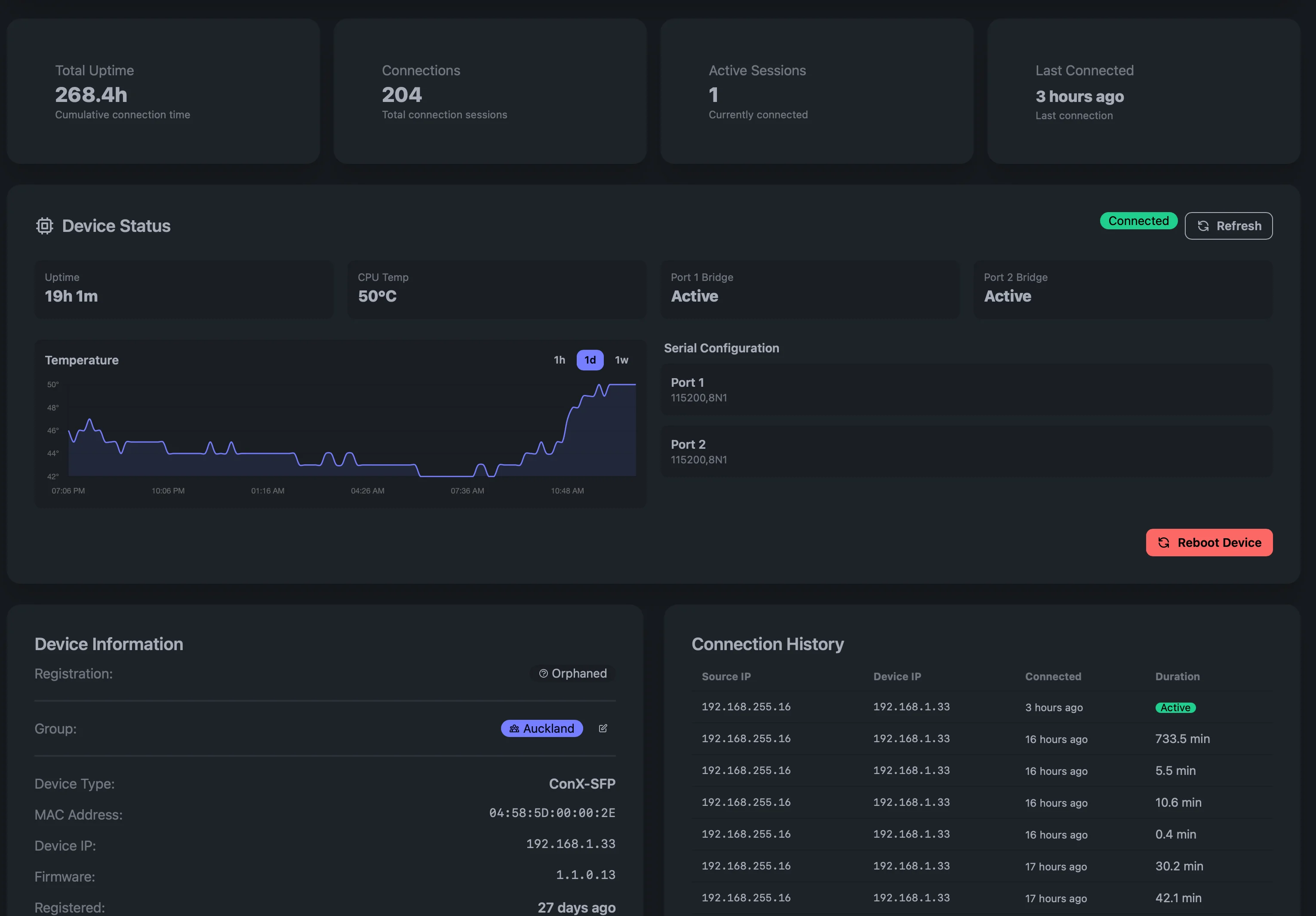
The dashboard shows all your devices with real-time online/offline status, serial console logs, alert history, activity feed, and detailed device information including uptime, CPU temperature, serial configuration, firmware version, and connection history. Devices can be organized into groups by site, customer, or function.
Can I search serial logs across all devices?
Yes. ConX Portal provides full-text search across all devices, ports, and time ranges. You can save and share queries, stream live console output with the live tail feature, and export logs as CSV or raw text.
See all FAQs →
Ready to manage your devices remotely?
Contact us for ConX Portal access, or get started with the ConX-SFP hardware.